Take a booking
A booking (tempahan) holds pieces for a customer against a deposit. The price is fixed when the customer collects.
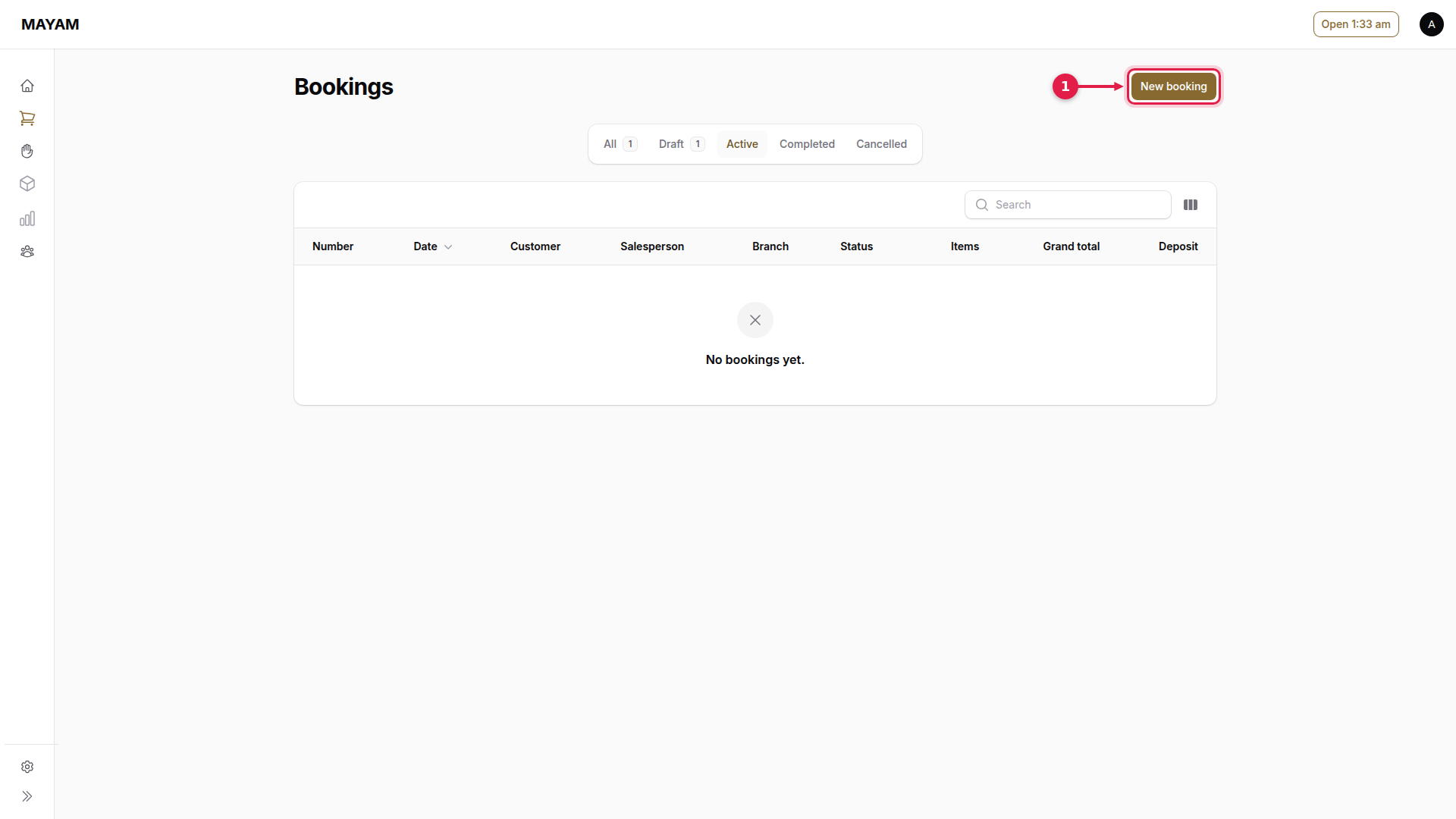
1. Press New booking
Go to Counter → Bookings and press New booking.
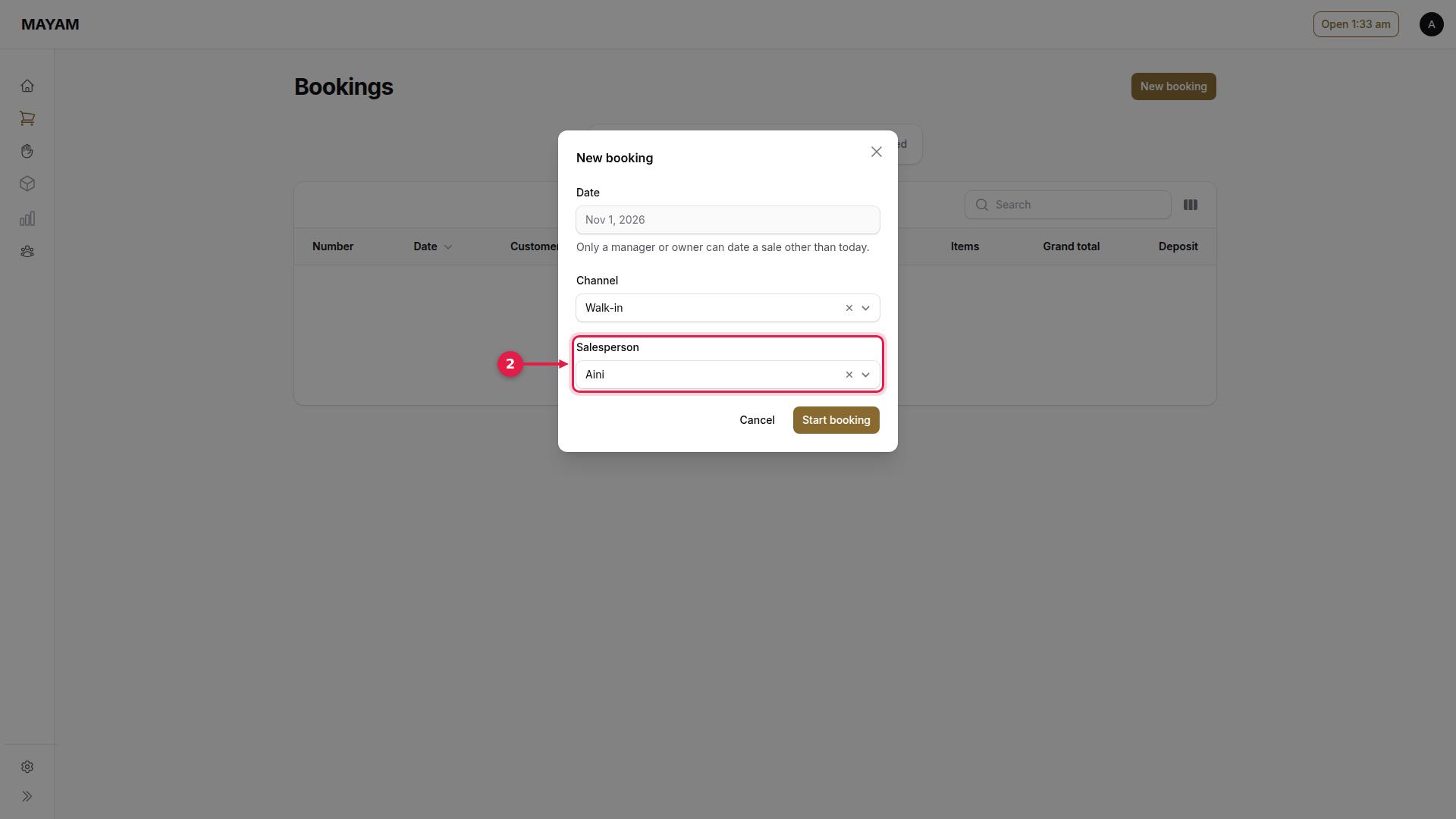
2. Choose the salesperson
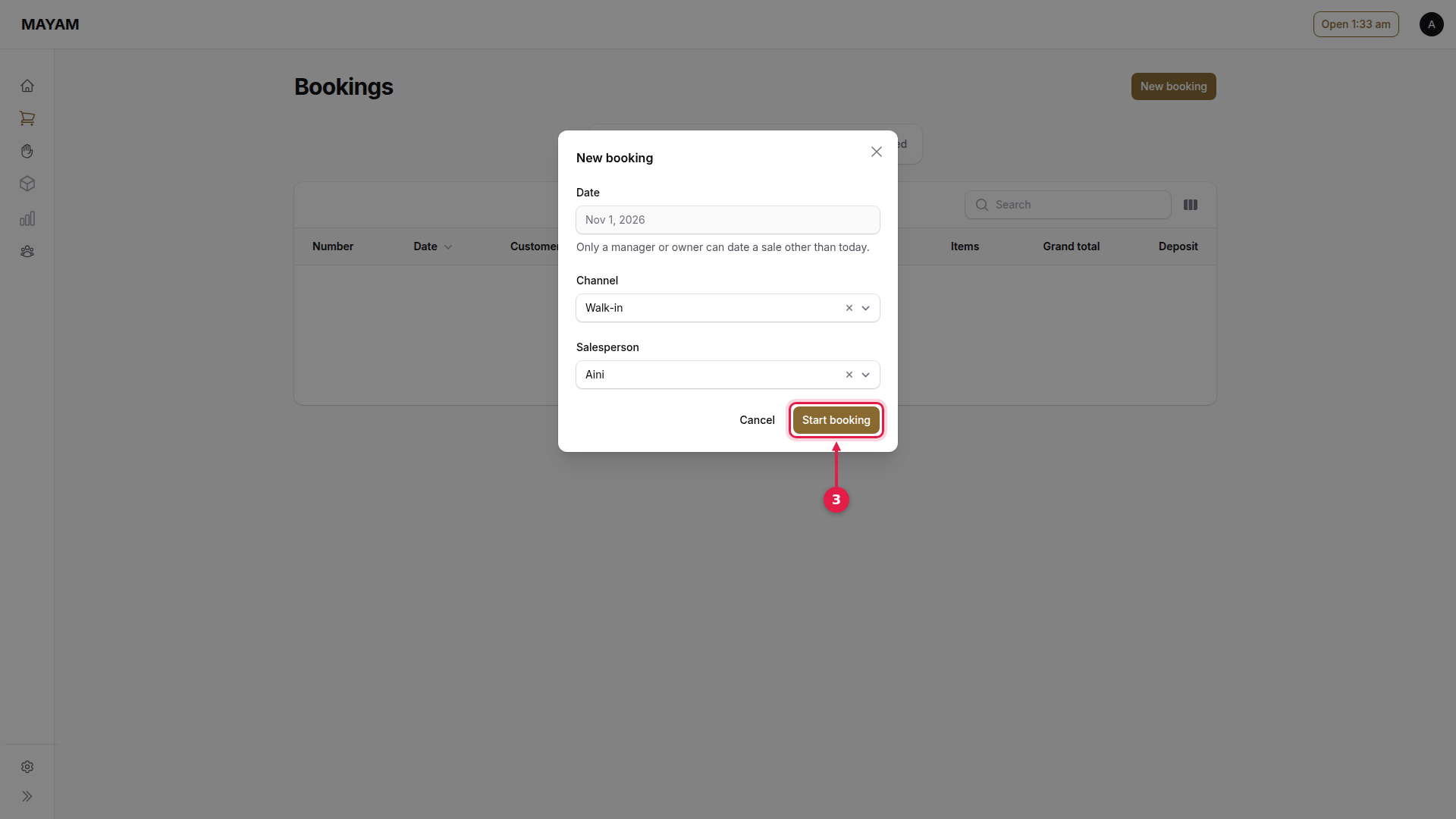
3. Press Start booking
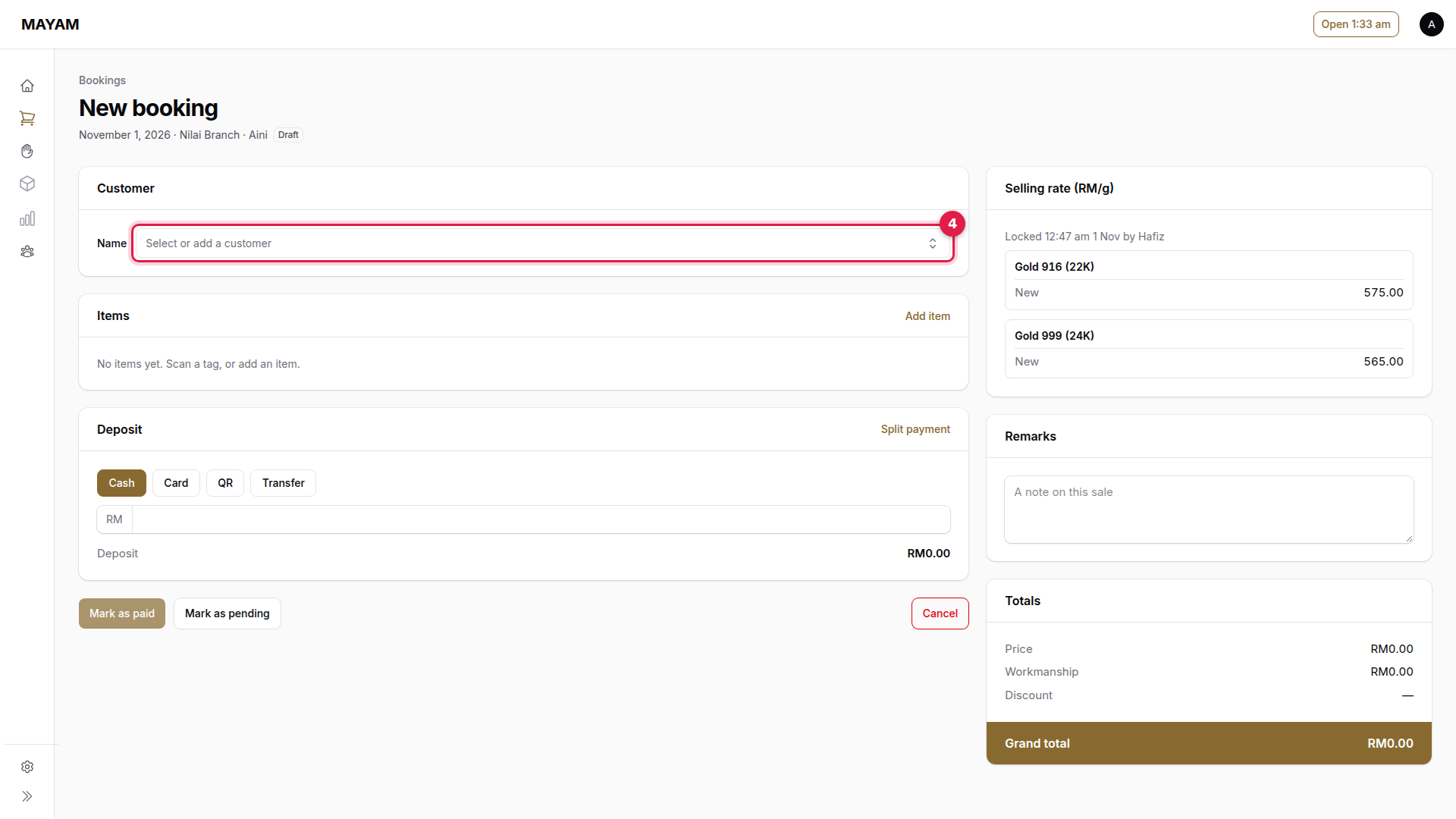
4. Press the Name box
A booking needs a customer.
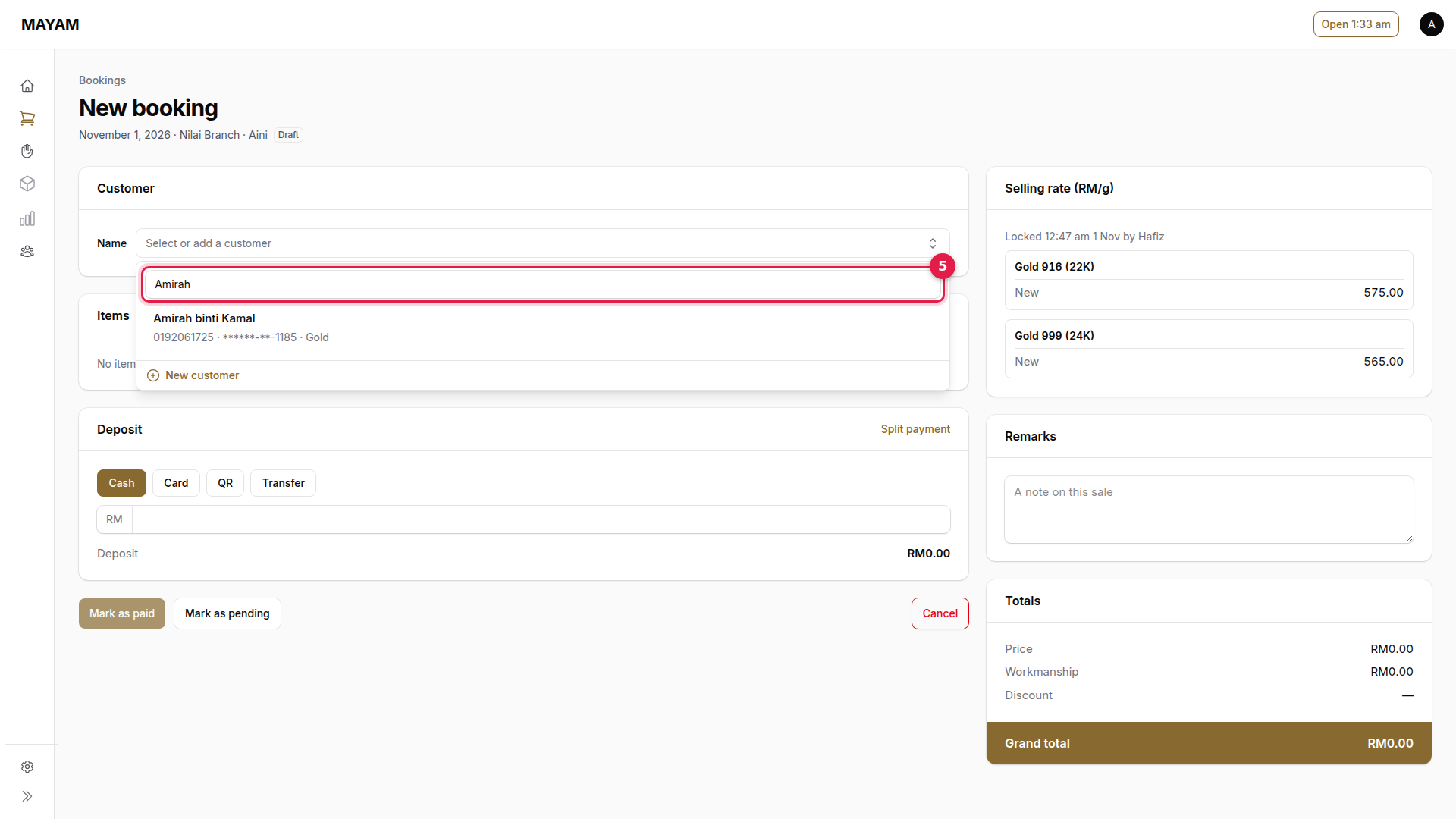
5. Search for the customer
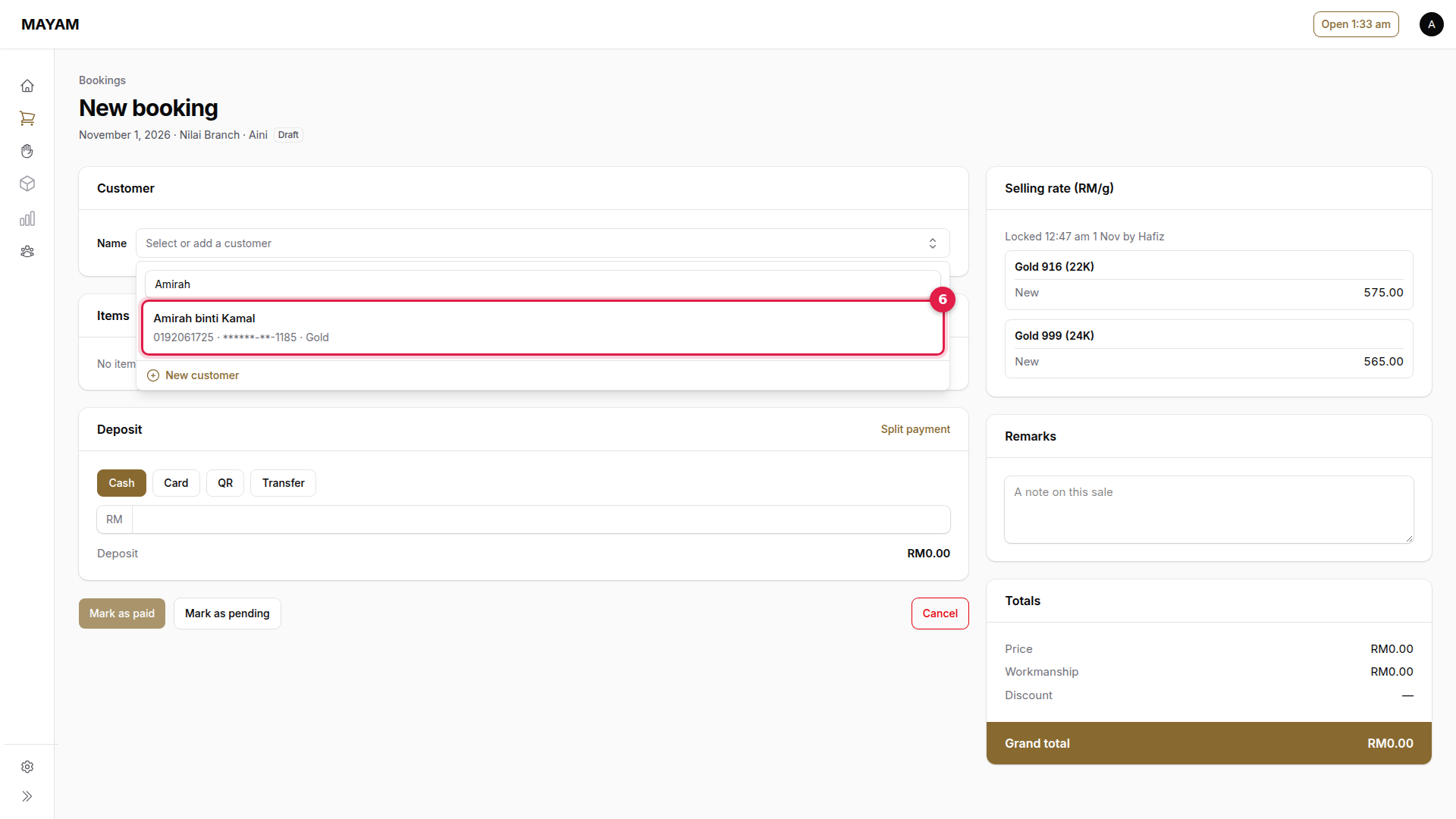
6. Pick the customer
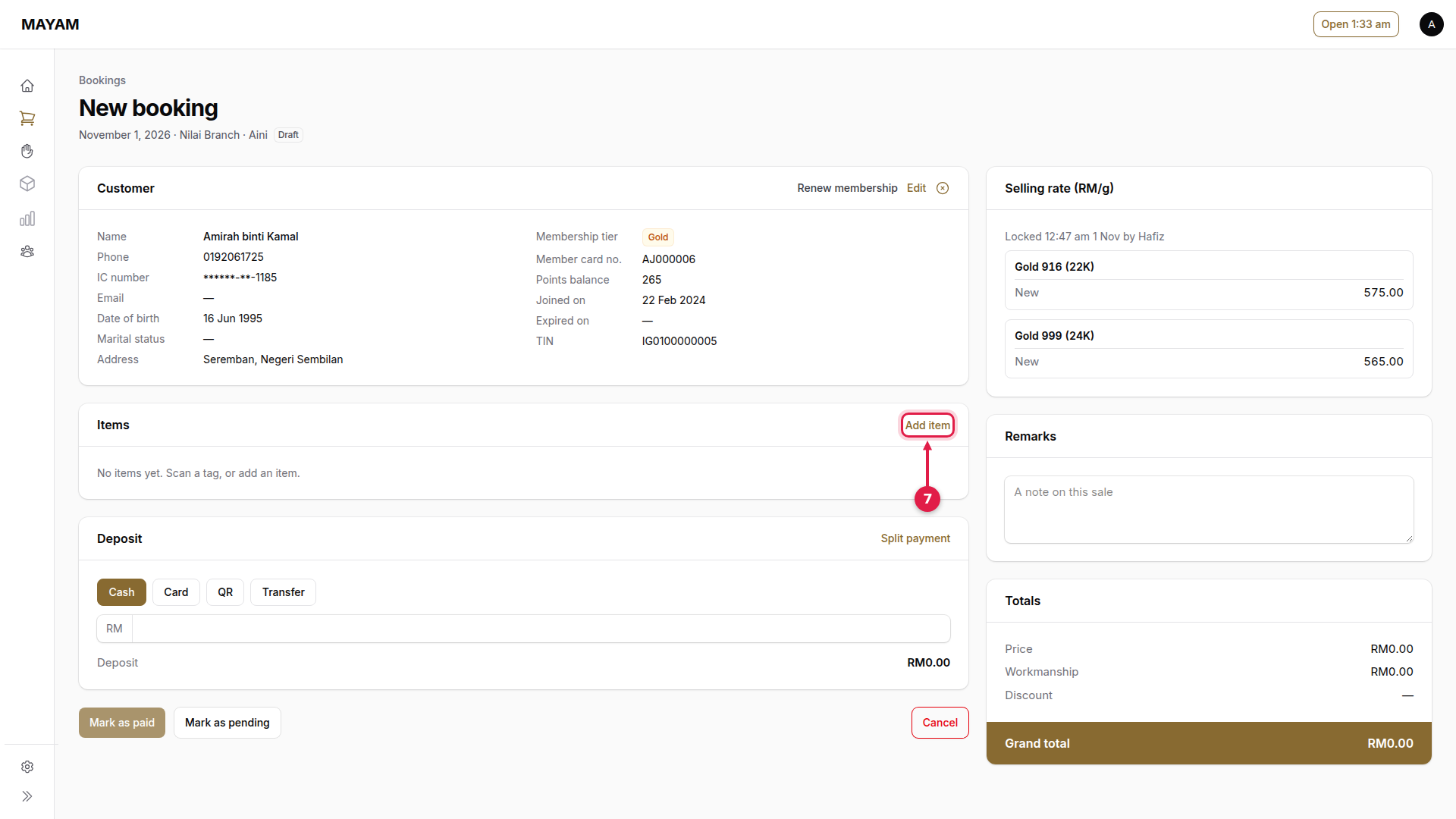
7. Press Add item
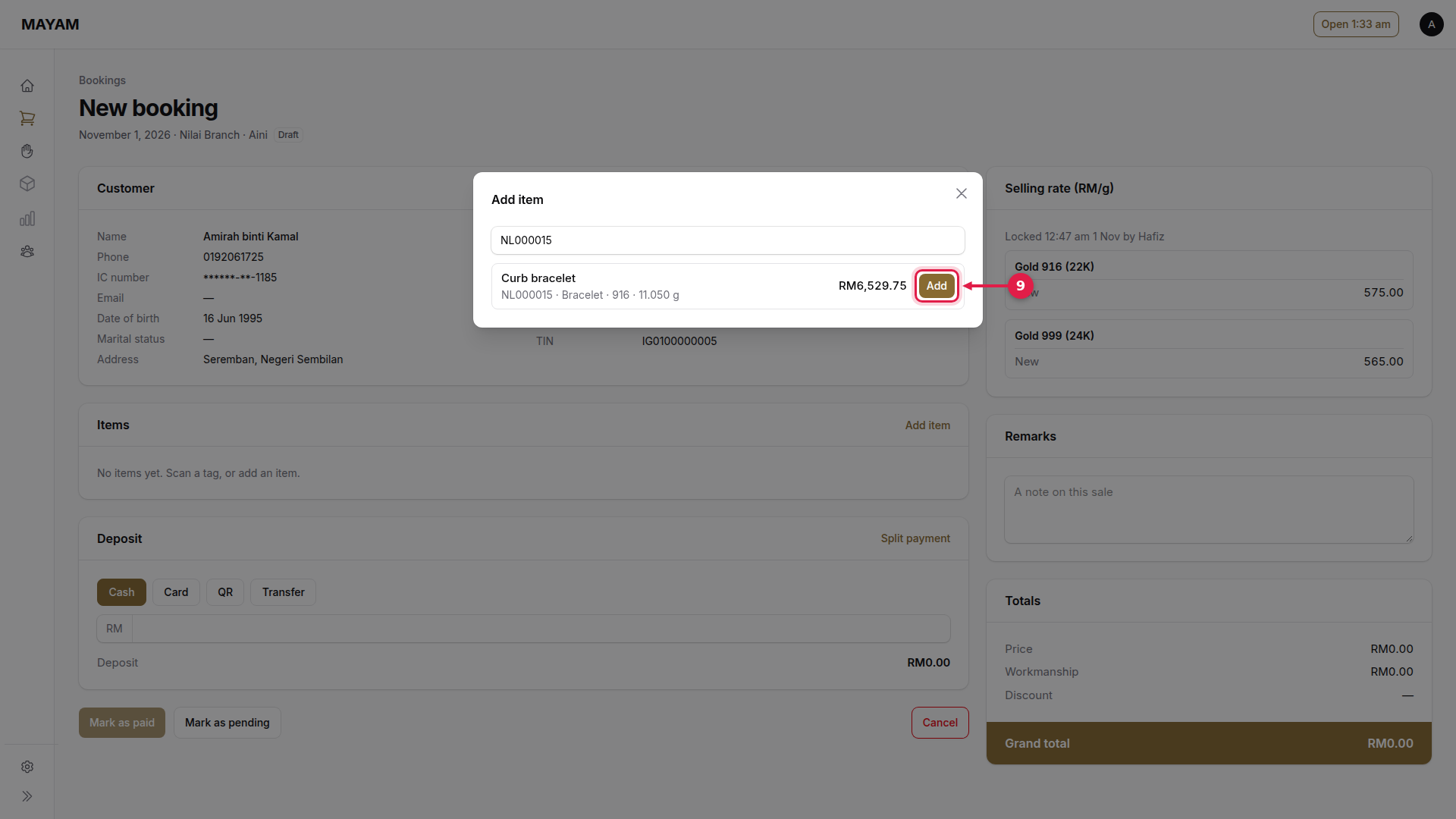
8. Type or scan the SKU
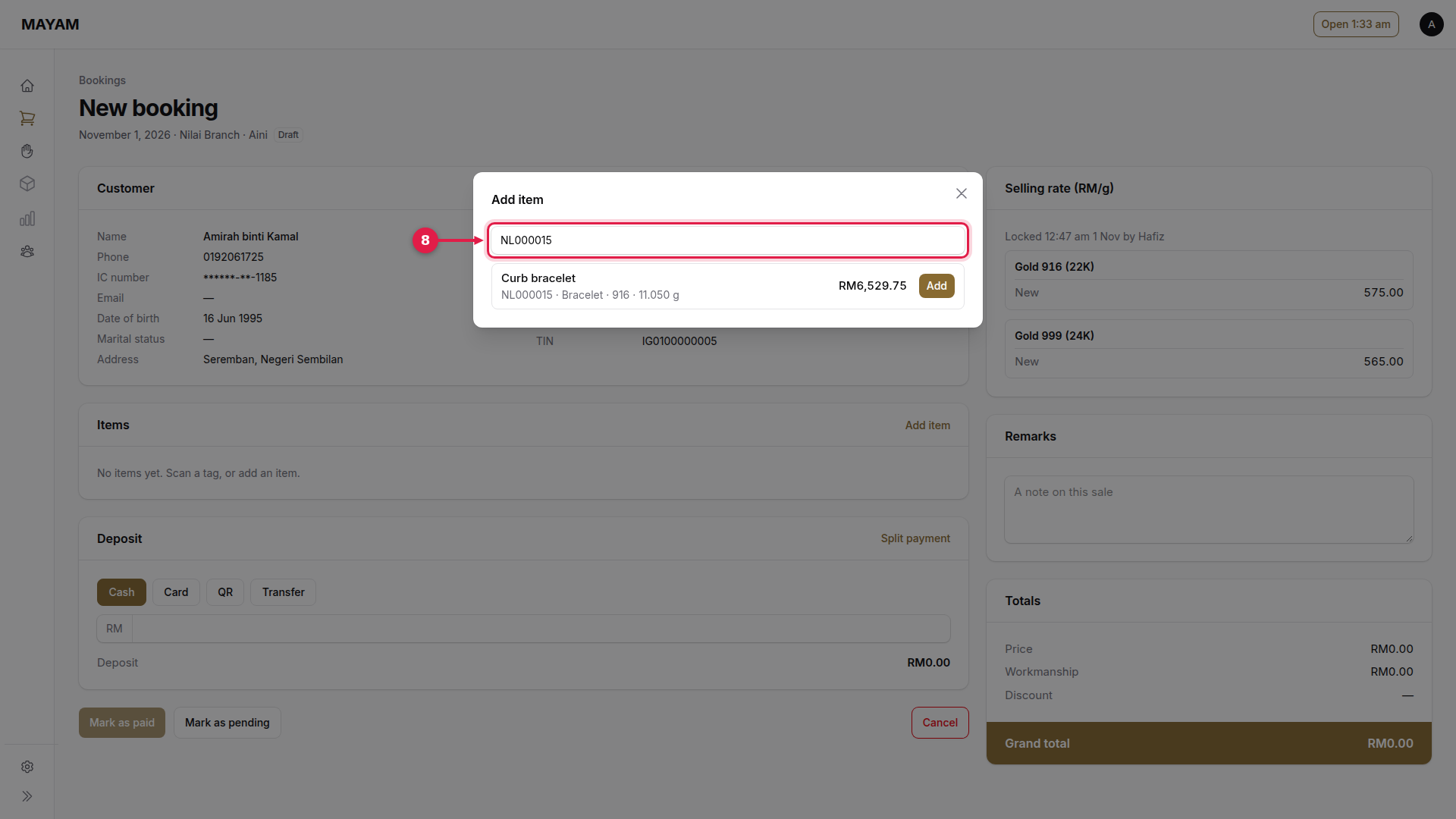
9. Press Add
Repeat steps 7 to 9 for each piece.
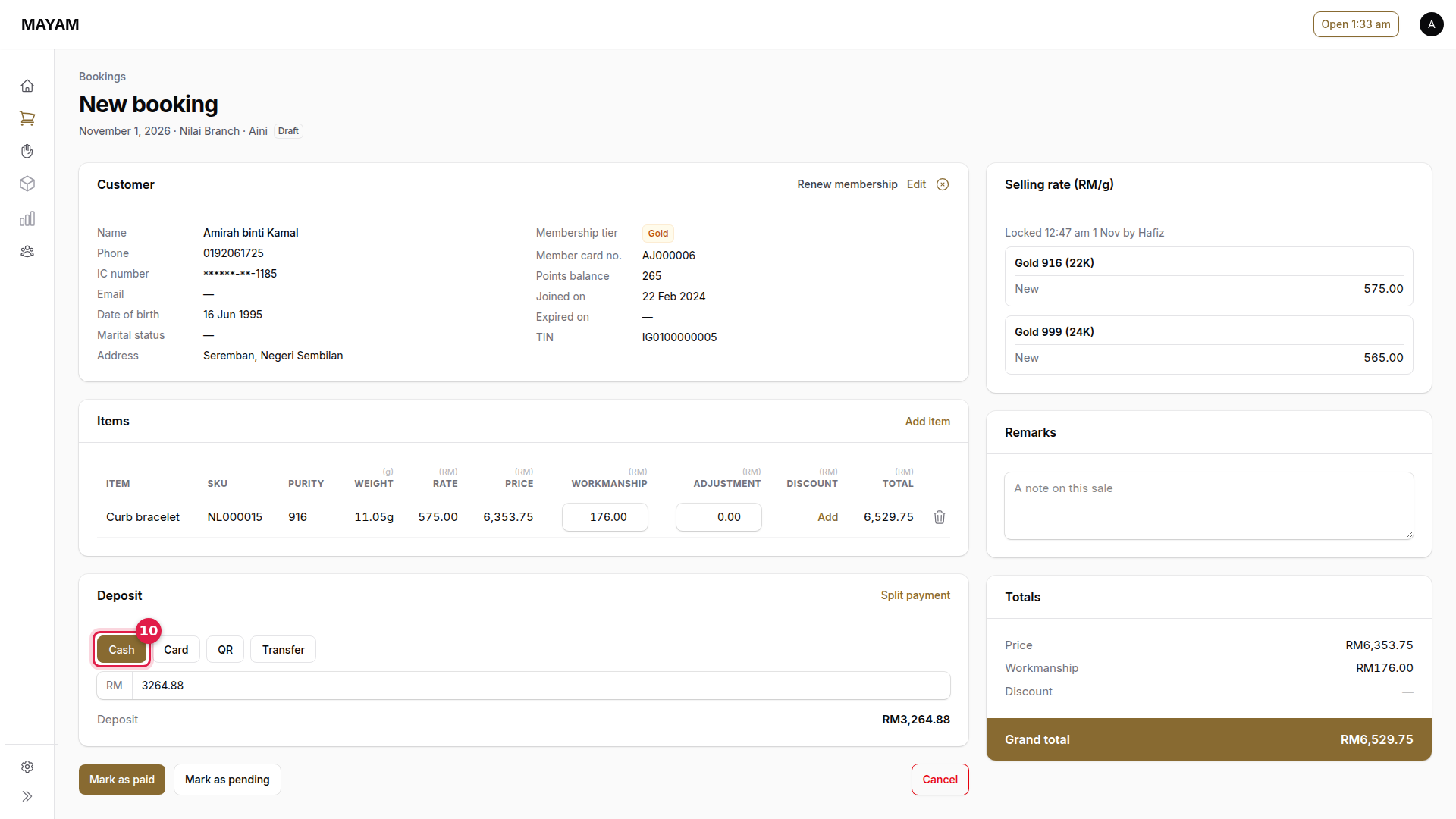
10. Choose how the deposit is paid
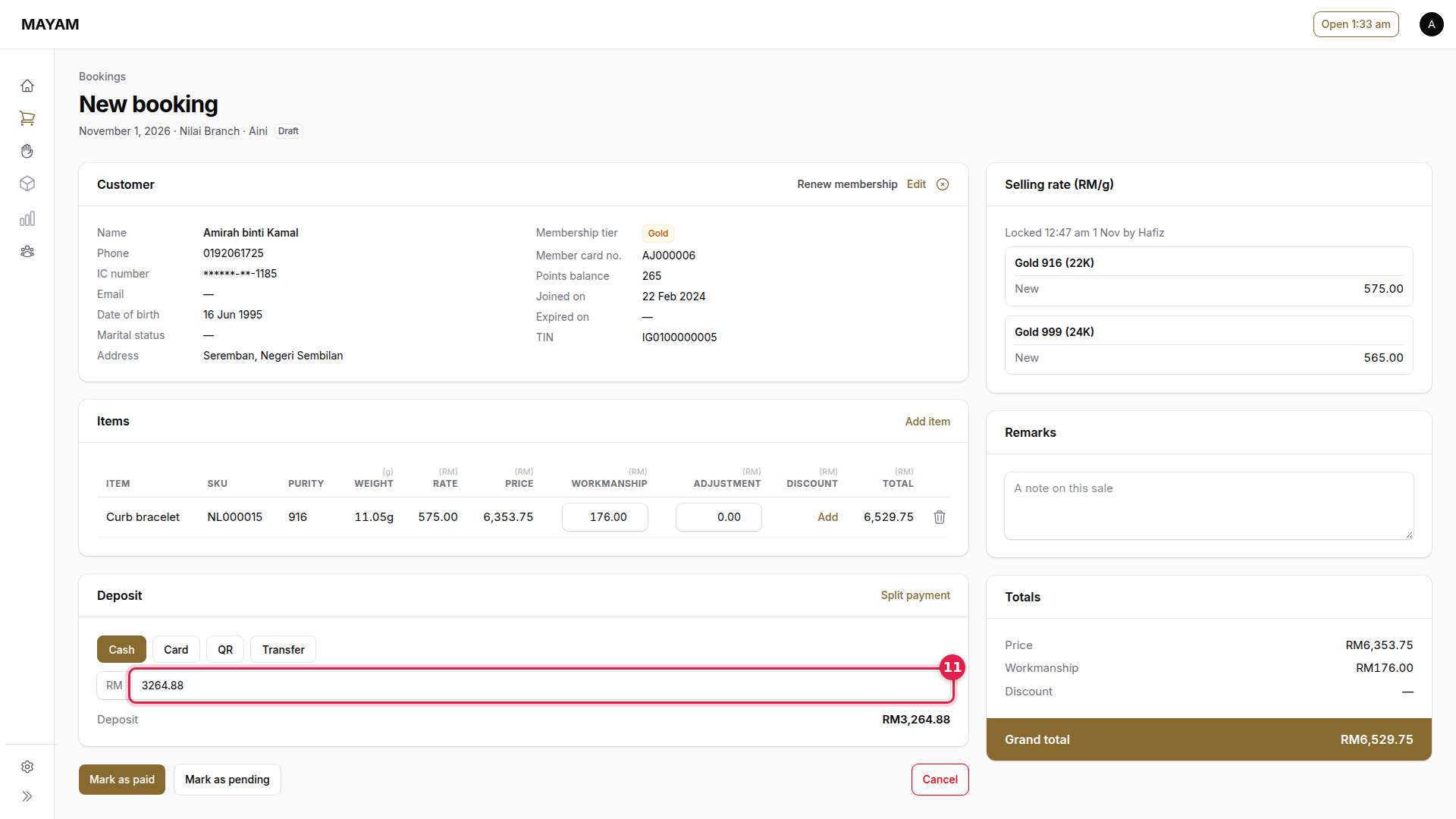
11. Check the deposit
Mayam suggests the shop's deposit (half the price). Change it if agreed with the customer; it cannot be more than the price.
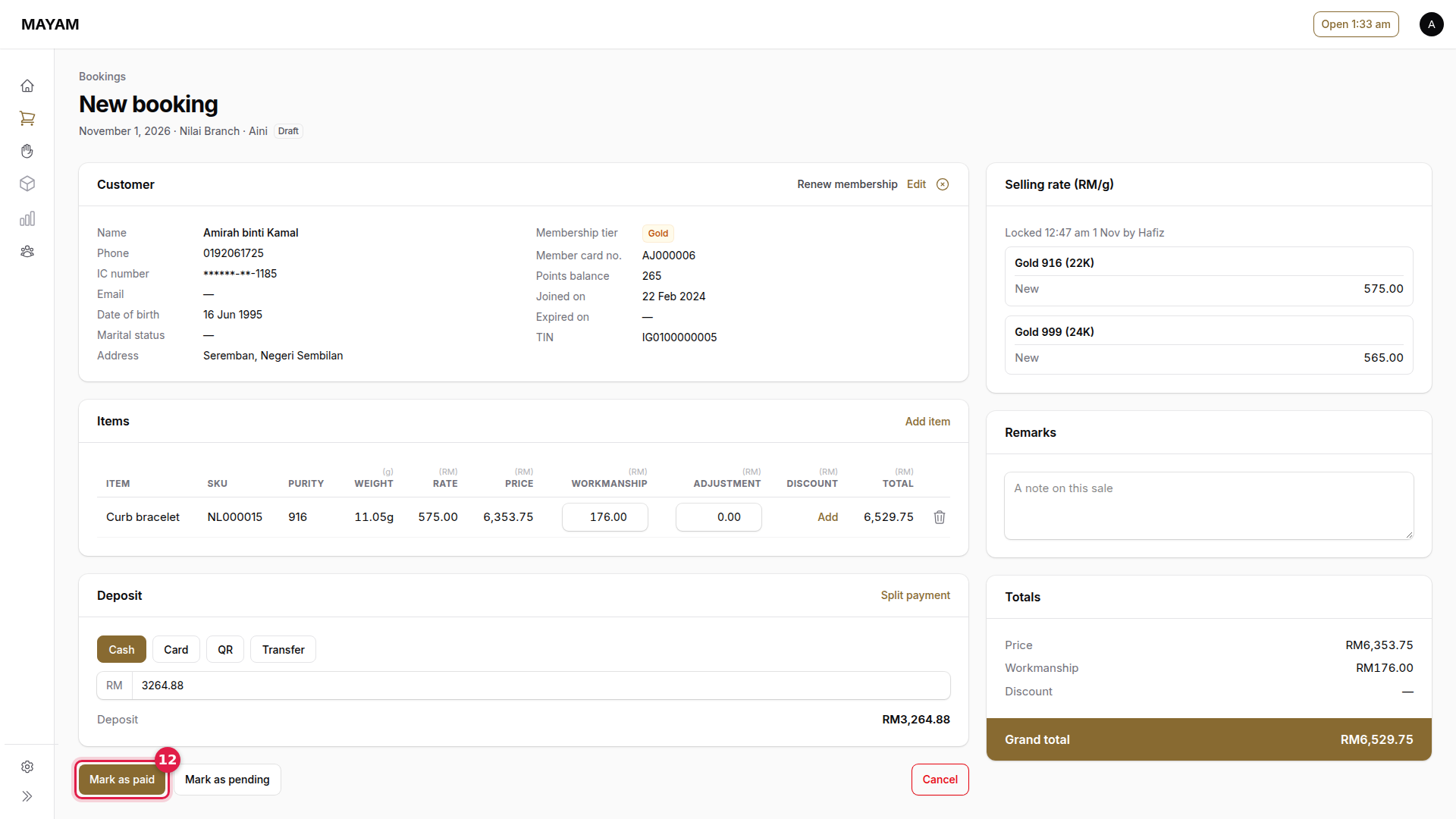
12. Press Mark as paid
The pieces are held for the customer.
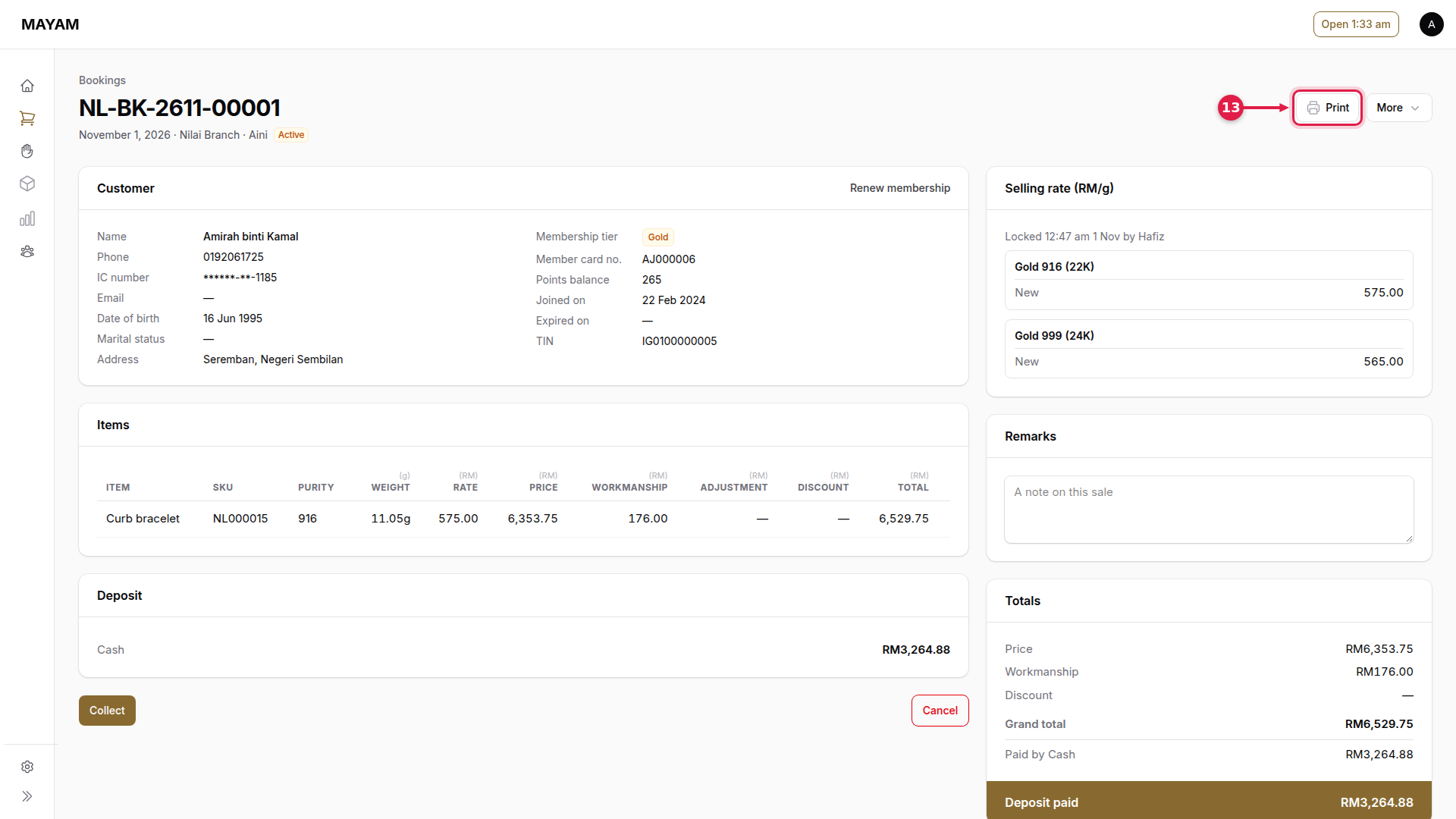
13. Press Print
Print the booking slip for the customer.
After the deposit is taken, the customer and pieces cannot be changed. To call it off, a manager opens the booking and presses Cancel booking; the deposit is not refunded automatically.